

360 Degree Panoramas of the American Southwest
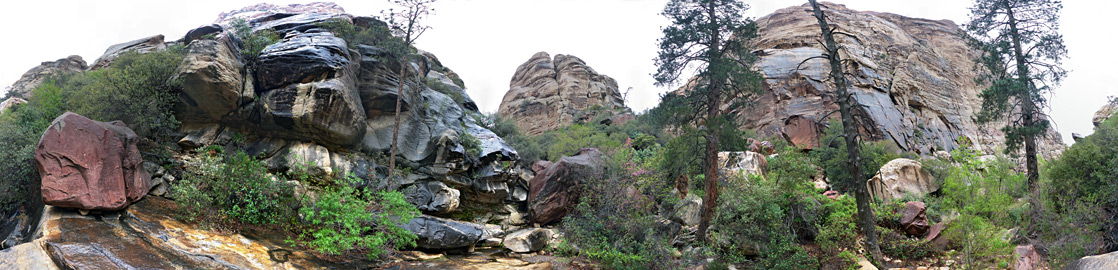
Source image for the panorama of Pine Creek, Red Rock Canyon NCA, Nevada. Full version.
To navigate in a panorama, use the mouse to click and drag the picture left or right, or the keyboard arrow keys. Press the Shift key to zoom in or the Control key to zoom out.
Panoramas are currently unavailable, pending conversion from Adobe flash to a different format
State Panorama Listings
The file size of the 360 degree panoramas is dependent on image dimensions, image quality and the zoom level of the source photographs; typical sizes are from 0.5 to 3 mb , with a screen size of up to 1000 x 550 pixels. Newer panoramas have a full screen version, up to 20 mb.To navigate in a panorama, use the mouse to click and drag the picture left or right, or the keyboard arrow keys. Press the Shift key to zoom in or the Control key to zoom out.
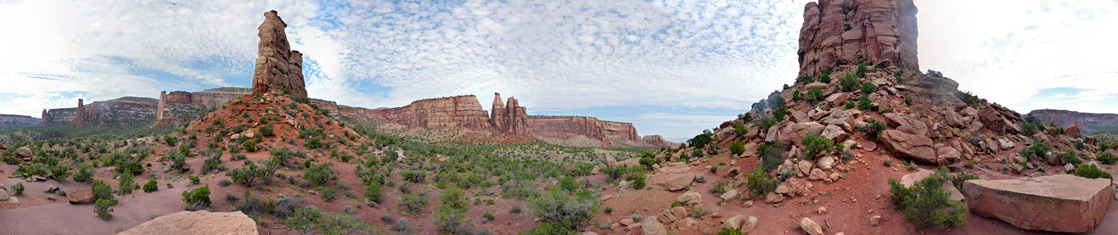
Source image for the panorama of Independence Monument, Colorado National Monument, Colorado. Full version.
360 degree panoramas of nearby objects require special lenses and center-mount tripods, but landscape panoramas can be made using regular equipment - even a tripod is n0t essential though it is best to have one. To take the source photographs, make sure the camera is level, then move it around 360 degrees taking photos that overlap by at least 15%. Most scenes are best shot using landscape orientation, though some with a greater vertical field of view need portrait source pictures, which does of course mean that more images are needed. The number of pictures to cover the 360 degrees depends on the zoom level; for the panoramas on this site, it is between 7 and 12.
An image editor like Adobe Photoshop can be used to change one or more of color balance, brightness, saturation and levels, perhaps using adjustment layers to make sure the overlapping regions are as identical as possible, though other programs are available that perform such changes automatically.
The panoramas on the site were originally QTVR (quicktime), but are now in Flash format.
How to Make a Panorama
360 degree panoramas of nearby objects require special lenses and center-mount tripods, but landscape panoramas can be made using regular equipment - even a tripod is n0t essential though it is best to have one. To take the source photographs, make sure the camera is level, then move it around 360 degrees taking photos that overlap by at least 15%. Most scenes are best shot using landscape orientation, though some with a greater vertical field of view need portrait source pictures, which does of course mean that more images are needed. The number of pictures to cover the 360 degrees depends on the zoom level; for the panoramas on this site, it is between 7 and 12.
An image editor like Adobe Photoshop can be used to change one or more of color balance, brightness, saturation and levels, perhaps using adjustment layers to make sure the overlapping regions are as identical as possible, though other programs are available that perform such changes automatically.
The panoramas on the site were originally QTVR (quicktime), but are now in Flash format.
All Contents © Copyright The American Southwest | Comments and Questions | Contribute | Affiliate Marketing Disclosure | Site Map